Building Multi-Agent Systems with Semantic Kernel
A deep dive into creating intelligent multi-agent systems using Microsoft Semantic Kernel for orchestrating complex AI workflows.

Table of contents
The first agent most teams build is one model with one long prompt and every tool attached. It works in the demo. Then the tool list grows, the prompt grows with it, and the model starts calling the wrong function, skipping steps or approving its own mistakes. The fix that has worked best for me is the same one you would use with people: give each agent one job, and put a simple process around how they talk to each other.
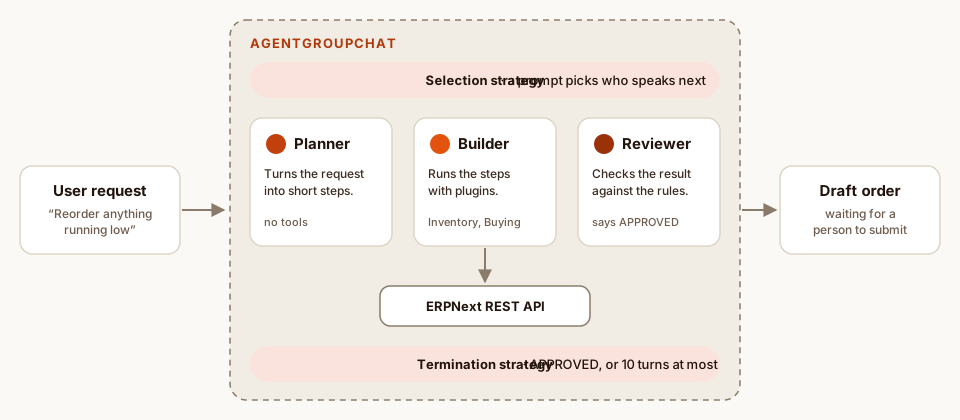
This post walks through that pattern with Microsoft Semantic Kernel in C#. The example is the kind of task I automate around ERPNext: find items running low in a warehouse and prepare purchase orders for them. Three agents share the work. A Planner breaks the request into steps, a Builder carries them out with tools, and a Reviewer checks the result before anything is handed to a person.
The building blocks
- Kernel: the container that holds your AI services (the chat model) and your plugins. Every agent runs on a kernel.
- Plugins: plain C# classes whose methods are marked [KernelFunction]. The description you write on each method is what the model reads when it decides whether to call it.
- ChatCompletionAgent: an agent with a name, instructions and a kernel. Its instructions act as the system prompt.
- AgentGroupChat: a conversation between several agents, with one strategy deciding who speaks next and another deciding when the conversation is over.
Start with the tools. They are ordinary classes that wrap the ERP’s REST API, which keeps the AI side thin and easy to test.
using System.ComponentModel;
using Microsoft.SemanticKernel;

public sealed class InventoryPlugin(ErpClient erp)
{
    [KernelFunction, Description("Items in a warehouse below their reorder level.")]
    public Task<IReadOnlyList<LowStockItem>> GetLowStockItemsAsync(
        [Description("Warehouse name, e.g. 'Stores - Dhaka'")] string warehouse)
        => erp.GetLowStockAsync(warehouse);
}

public sealed class BuyingPlugin(ErpClient erp)
{
    [KernelFunction, Description("Creates a DRAFT purchase order and returns its name.")]
    public Task<string> CreateDraftPurchaseOrderAsync(
        string supplier, OrderLine[] lines)
        => erp.CreateDraftPurchaseOrderAsync(supplier, lines);
}
Notice that the only write action creates a draft. Agents can be wrong, so the design makes being wrong cheap: a draft that a person reviews and submits, never a posted document.
Give each agent one job
Each agent gets short, specific instructions. Only the Builder gets the tools, through its own clone of the kernel, so the Planner and Reviewer can’t call them even by accident.
var kernelBuilder = Kernel.CreateBuilder();
kernelBuilder.AddOpenAIChatCompletion("gpt-4o-mini", config["OpenAI:ApiKey"]!);
Kernel kernel = kernelBuilder.Build();

Kernel toolKernel = kernel.Clone();
toolKernel.Plugins.AddFromObject(new InventoryPlugin(erp), "Inventory");
toolKernel.Plugins.AddFromObject(new BuyingPlugin(erp), "Buying");

ChatCompletionAgent planner = new()
{
    Name = "Planner",
    Instructions = """
        You plan stock replenishment. Turn the request into short numbered
        steps for the Builder. Never call tools and never invent numbers.
        """,
    Kernel = kernel,
};

ChatCompletionAgent builder = new()
{
    Name = "Builder",
    Instructions = """
        You carry out the Planner's steps with your tools. Report exactly what
        each tool returned. Purchase orders are always drafts.
        """,
    Kernel = toolKernel,
    Arguments = new KernelArguments(new OpenAIPromptExecutionSettings
    {
        FunctionChoiceBehavior = FunctionChoiceBehavior.Auto(),
    }),
};

ChatCompletionAgent reviewer = new()
{
    Name = "Reviewer",
    Instructions = """
        Check the Builder's result against the request: every low-stock item
        is covered, quantities reach the reorder quantity, one draft per
        supplier. Reply APPROVED if it is right, otherwise list what to fix.
        """,
    Kernel = kernel,
};
Deciding who speaks next
The selection strategy picks the next speaker after every turn. For a fixed order you can use SequentialSelectionStrategy, which simply goes round the list. I prefer a small prompt, because it lets the Builder go back to work when the Reviewer asks for changes without the Planner starting over.
KernelFunction selectNext = AgentGroupChat.CreatePromptFunctionForStrategy(
    """
    Choose who speaks next: Planner, Builder or Reviewer.
    - The Planner speaks first.
    - After the Planner, the Builder.
    - After the Builder, the Reviewer.
    - If the Reviewer asked for changes, the Builder.
    Reply with the name only.

    History:
    {{$history}}
    """,
    safeParameterNames: "history");
This prompt runs on every turn, so it should be cheap. A small model is plenty, and the strategy only needs the last few messages, not the whole conversation.
Knowing when to stop
The termination strategy ends the conversation. It doesn’t need a model at all: the Reviewer was told to say APPROVED, so a string check is enough. MaximumIterations is the safety net that stops two agents from arguing forever.
#pragma warning disable SKEXP0110 // AgentGroupChat is experimental

sealed class ApprovalTermination : TerminationStrategy
{
    protected override Task<bool> ShouldAgentTerminateAsync(
        Agent agent, IReadOnlyList<ChatMessageContent> history,
        CancellationToken ct)
        => Task.FromResult(history[^1].Content?.Contains("APPROVED") ?? false);
}

AgentGroupChat chat = new(planner, builder, reviewer)
{
    ExecutionSettings = new()
    {
        SelectionStrategy = new KernelFunctionSelectionStrategy(selectNext, kernel)
        {
            ResultParser = r => r.GetValue<string>()?.Trim() ?? "Planner",
            HistoryVariableName = "history",
        },
        TerminationStrategy = new ApprovalTermination
        {
            Agents = [reviewer],   // only the Reviewer can end the chat
            MaximumIterations = 10,
        },
    },
};

chat.AddChatMessage(new ChatMessageContent(AuthorRole.User,
    "Reorder anything running low in Stores - Dhaka."));

await foreach (ChatMessageContent message in chat.InvokeAsync())
{
    logger.LogInformation("{Agent}: {Text}", message.AuthorName, message.Content);
}
What matters in production
Getting three agents to talk is the easy part. Keeping them dependable on real business data is where the time goes:
- Few tools per agent. A model choosing between three well-described functions is far more reliable than one choosing between thirty. If an agent needs many tools, it is probably two agents.
- Descriptions are prompts. The Description on each function and parameter is what the model reads. Say what it returns, what units it uses and when not to call it.
- Write actions create drafts. Anything that posts money, stock or payroll stays a draft until a person approves it. This one rule removes most of the risk.
- Log every turn. Save who said what, every tool call and its arguments. When a run goes wrong, the transcript tells you which agent to fix.
- Cap the cost. Limit iterations, keep the selection prompt on a small model, and trim the history each strategy sees.
- Test with real requests. Keep a set of past requests with known good outcomes and rerun them whenever you change a prompt or a model.
The agents don’t need to be clever. They need narrow jobs, honest tools and a process that makes mistakes cheap.
Takeaways
- Split one overloaded agent into roles: plan, act, review. Each prompt gets shorter and each failure gets easier to trace.
- In Semantic Kernel, give tools only to the agent that needs them by giving it its own kernel.
- Use a model to choose the next speaker if the order varies, and plain code to decide when to stop.
- Design for review: the system prepares the work, a person signs it off.

Written by Omor Al Tanim
Newsletter
Enjoyed this? Get the next one by email
A short email when I publish something new on AI agents, ERP automation or research. No spam; unsubscribe in one click.
More from Omor Al Tanim
 In Research by Omor Al TanimSep 28, 2026Pinned
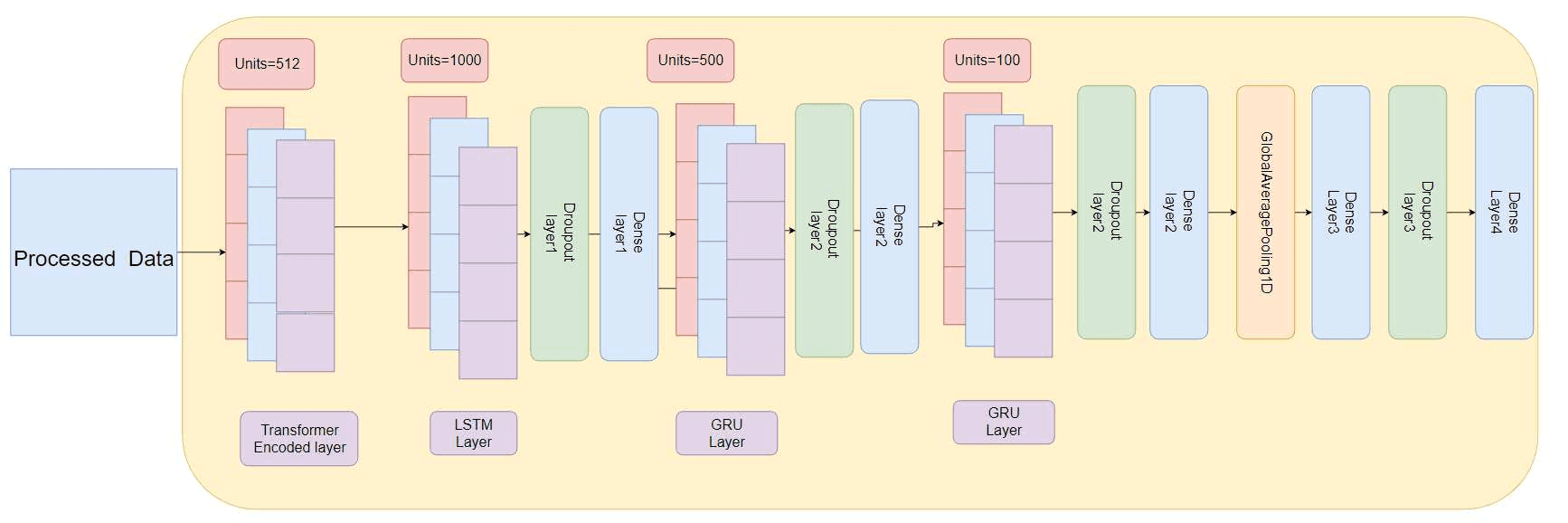
DeepDse: Predicting the Dhaka Stock Exchange with Transformers, LSTMs and GRUs
How we combined a Transformer encoder with LSTM and GRU layers, added gold, oil and USD prices as inputs, and got the lowest error on all 11 DSE stocks we tested.
- In Research by Omor Al TanimSep 28, 2026
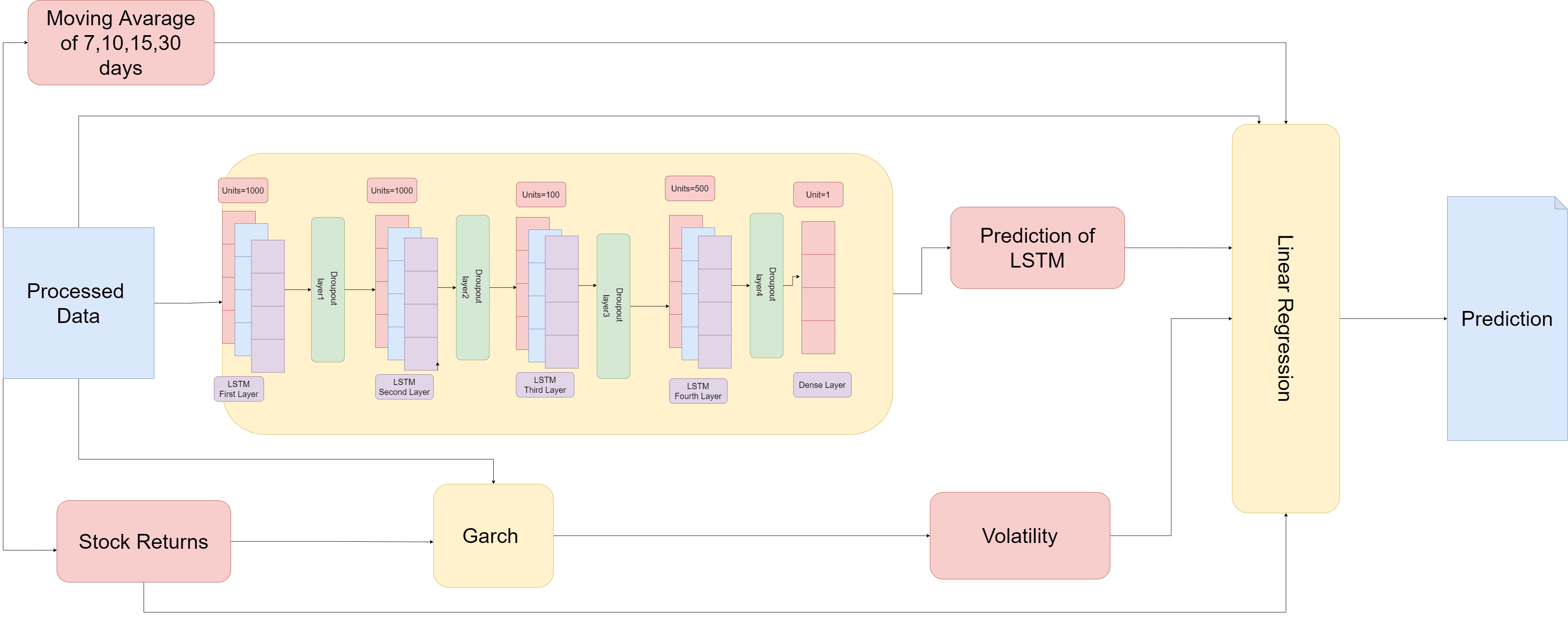
LSTM + GARCH + Regression: A Hybrid Model for Bangladesh’s Stock Market
Why we split stock prediction across three models (a stacked LSTM for price, GARCH for volatility, and a linear regression to combine them) and how that roughly halved the error.
- In Engineering by Omor Al TanimJan 8, 2025
OCR Solutions for Document Processing
Exploring various OCR techniques and best practices for building robust document processing systems with Tesseract.
Comments (0)
Comments are checked by AI before they appear. Read the rules
Loading comments…